Gistr turns your syllabus into a working tool: AI notes for students
Every new term starts the same way: a student gets the course outline, feels overwhelmed, and puts it off for later. If you don't deal with the materials in the first week, you end up catching up in a panic by midterms. This is especially true for those studying online — without external pressure, you need your own system of organization.
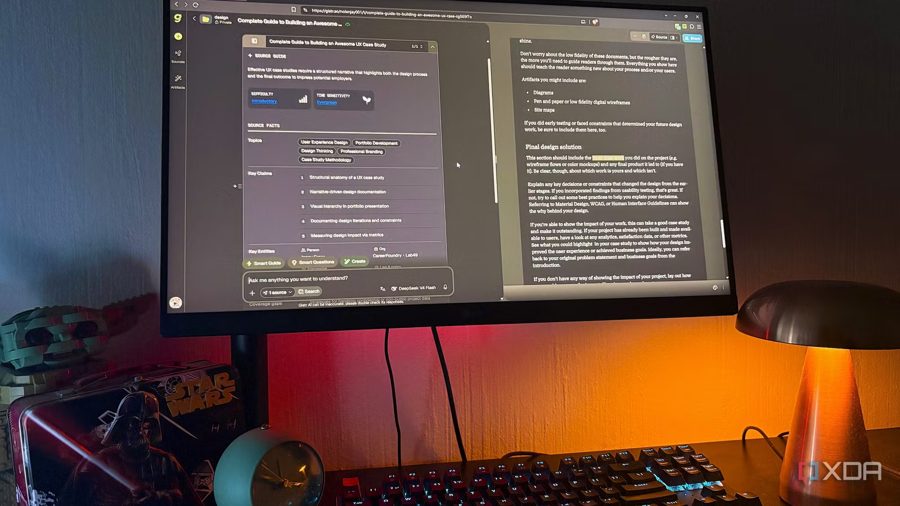
The Gistr app offers a solution to this problem before the first lecture begins. It is an AI-native notebook that turns YouTube videos, PDFs, and web articles into structured, searchable, interactive notes. Each source becomes its own "thread" — a workspace with the source on one side and a chat panel on the other. The chat panel also works as a block-based editor.
The AI in Gistr responds only based on the uploaded materials, so it does not invent citations or links. If needed, there is a web search function for outside context. Threads are grouped into Collections that the user organizes however they want. A browser extension is available for capturing sources on the go. In terms of functionality, the service resembles a mix of NotebookLM and Notion, but with a more user-friendly and interactive interface.
The free plan includes the full workspace with 300 AI credits per day. Paid tiers start at $8 per month, and a 50% student discount applies to any of them during the academic year.
The author recommends setting up Gistr for each course before classes begin. A course outline is not a plan — it is a to-do list disguised as a schedule: twelve weeks of required reading, recorded lectures, and articles to "engage with." If you do not process it in the first week, the materials just stay pinned in your browser for two months. In the app, each course gets its own Collection, and each source becomes its own thread, turning a chaotic pile of files into a structured workflow.