A $60 SSD and 15 minutes in BIOS revived my old PC — and it was never the CPU's fault
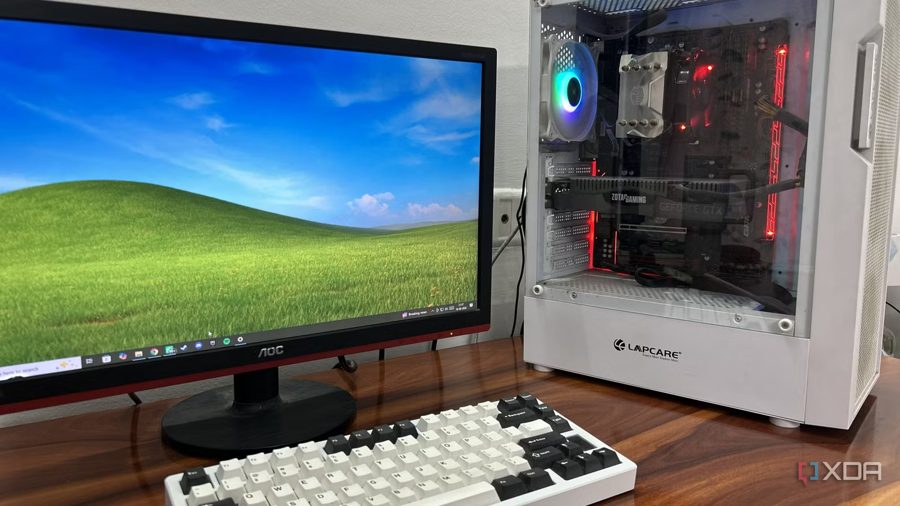
Every PC reaches a point where it starts feeling sluggish, and shortly after, annoying to use. The author's AM4 gaming rig, equipped with a Ryzen 5 1600 and an RTX 2070 Super, could still run most software and a number of games, but not nearly as well as desired. Every Windows update, boot sequence, and app launch delay served as a constant reminder that time had passed the PC by.
The obvious fix would have been to drop $200 on a new Ryzen 5000-series processor and an NVMe SSD. However, this was the author's secondary PC, used only every other weekend. Spending that much on a machine that sits idle most of the month made little sense, especially with NVMe prices rising. The more elegant solution turned out to be a 2.5-inch SATA SSD costing $60 and a couple of tweaks in the BIOS.
It's almost natural to blame a 2017 processor when evaluating an aging PC, but the HDD used as the primary drive was the single biggest offender for usability. Windows 10 booted slowly and felt increasingly sluggish over time. As the primary OS drive, this HDD was a textbook case of random I/O bottleneck, causing laggy app launches and boot times exceeding one minute — downright unacceptable in this day and age. Background tasks like Windows Defender scans and search indexing further worsened the experience.
After swapping the HDD for a SATA SSD and adjusting BIOS settings, boot time dropped to 15–20 seconds, and applications launched instantly. The author noted that the old Ryzen 5 1600 handles everyday tasks just fine, and while a SATA SSD is slower than NVMe, it provides enough performance gain for comfortable use on a secondary PC. The entire upgrade took about 15 minutes in BIOS and cost only $60 — a far more sensible investment than a full system overhaul.