The free Canva and Adobe replacement has been hiding inside this business platform
Whenever someone asks about escaping Adobe or Canva, the usual list comes up: Affinity, GIMP, Figma, Krita, maybe Pixlr. Each covers a small slice of what paid suites do, because replacing something like Adobe realistically means stitching several tools together. Replacing Canva means settling for less, since there is still no proper free alternative with such a vast template library.
There is a whole category of tools that rarely comes up in these discussions: all-in-one platforms. Full workspace suites that happen to include a design editor, a photo tool, slide decks, AI generation, and often video editing. Desygner is one of those platforms.
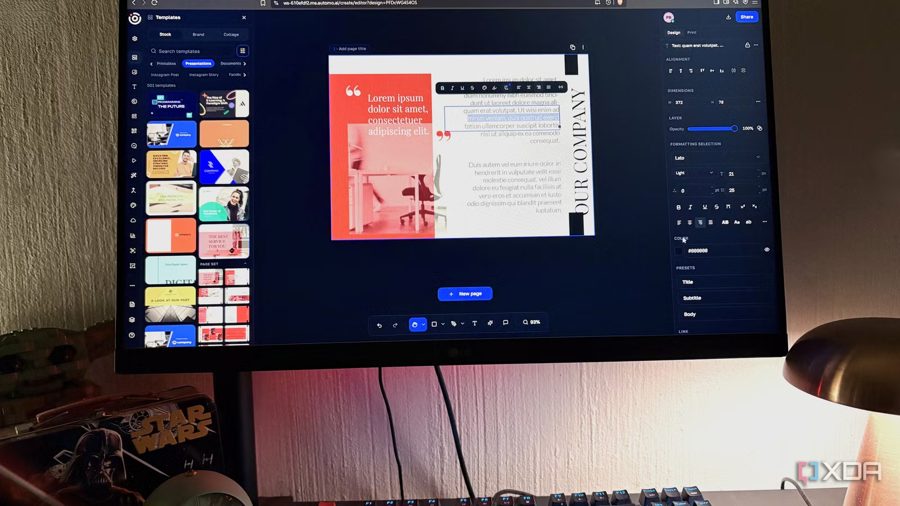
Desygner is a drag-and-drop design platform built around a brand kit. You upload your logos, colors, and fonts once, and they apply across every template and format you touch afterward — essentially Canva's core idea taken further. The difference is the toolkit around it. Desygner now belongs to Automo, a business workspace covering CRM, HR, marketing, finance, and more. Desygner sits in the Create tab amid all that, and that module alone includes a photo editor, design workspace, presentation editor, video studio, whiteboard, website builder, and a full PDF suite.
Pricing is where it starts to feel unfair to Canva. The free tier gives you the editor and templates, while paid plans cost noticeably less than competitors and still include more features. Built-in AI tools generate images and copy directly inside layouts. There is also an offline mode for working without an internet connection.
The author admits Desygner trails Canva in template volume, but it is not trying to replace just one service: it is a complete alternative to several paid products at once. For those looking to drop Adobe or Canva subscriptions, Desygner is not a compromise — it is a genuine replacement.