Resurrect a dead PC with a CMOS reset — the overlooked trick that fixes black screens
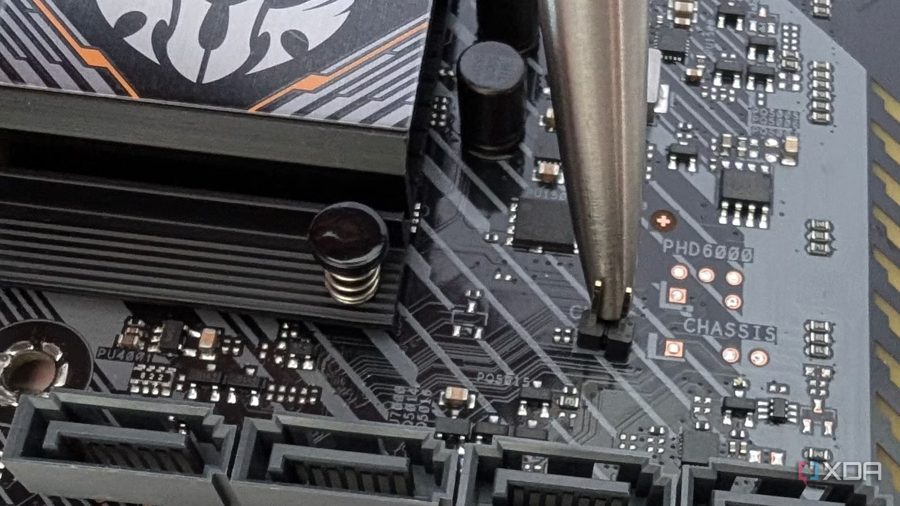
One of the most frustrating issues a PC owner can face is pressing the power button and getting nothing but a black screen. This can happen for a variety of reasons, and most of them don't come with a warning sign. When this occurs, the author of the guide turns to a simple trick that makes most issues go away: a CMOS reset.
Before diving into the procedure, it's worth understanding what a CMOS reset actually does. The CMOS is a small memory chip on the motherboard that stores BIOS/UEFI settings such as boot order, memory profiles, fan curves, and specific overclocking profiles for RAM and the processor. It's also responsible for timekeeping when the PC is turned off. Right next to it, you'll find a coin-cell battery that powers this chip and helps store these settings. If you remove this battery for a few minutes, all the CMOS settings are wiped and revert to factory defaults.
This can resolve problems caused by incorrect BIOS parameters, such as after a failed overclocking attempt, improper memory timing adjustments, or a misconfigured boot order. It also helps when the system gets stuck during POST (Power-On Self-Test) — the computer turns on, fans spin, but the screen stays black and the system never reaches the operating system loader.
The procedure is straightforward: disconnect the PC from the power outlet, press the power button to discharge any residual capacitors, then open the case. Locate the coin-cell battery on the motherboard — it's usually a CR2032 type, easily identifiable by its silver, round shape. Carefully remove the battery using a small flathead screwdriver or your fingers, wait 5–10 minutes, then reinsert it. Close the case, plug in the power, and boot the system. After the reset, the BIOS will load with default settings, so you'll need to reconfigure the date, time, boot order, and any custom settings like fan curves or XMP profiles.
The author notes that this method has revived more than a dozen "dead" PCs over the years, and recommends it as the first step in troubleshooting a black screen issue before resorting to more complex diagnostics like reseating RAM, testing the power supply, or replacing components. However, it's important to remember that a CMOS reset won't fix hardware failures such as a blown power supply, a shorted motherboard, or a dead CPU. If the issue persists after the reset, the problem likely lies elsewhere in the hardware chain.