Change this one router setting to slash latency — no new hardware needed
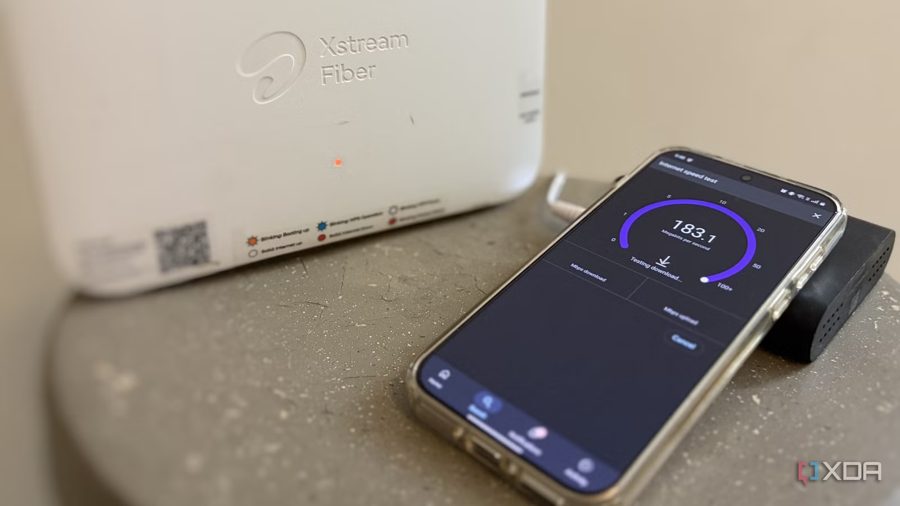
When trying to speed up Wi-Fi, most users reposition the router, switch bands, or reboot the device. However, none of these fixes address the hidden cause of delays — the default DNS server configuration.
DNS (Domain Name System) translates domain names into IP addresses, and this resolution process creates a delay before the first content appears on a screen. Ideally, resolving a domain name should take under 50 ms for a smooth browsing experience. If the DNS server takes 100–150 ms or more, it noticeably slows down opening new websites, starting Netflix streams, or switching servers in online games.
Internet service providers typically use low-power hardware and geographically distant servers that become overloaded when millions of users send queries simultaneously. Moreover, unencrypted DNS queries allow ISPs to track browsing history and serve targeted ads.
Changing the DNS server on the router or individual device is a straightforward way to reduce latency and improve privacy. To do this, access the router's settings, locate the DNS section, and enter the addresses of public servers such as those from Google, Cloudflare, or OpenDNS. After saving the changes, all devices on the network will start using faster and more secure DNS servers.
The default DNS servers provided by ISPs are often the worst option for performance. They add a tiny but consistent latency to every query from every device — whether you're using a browser, launching apps on your phone, or connecting to a game server. Switching to a better DNS server minimizes this latency and can even enhance network privacy by preventing your ISP from seeing your unencrypted queries.
To make the change, log into your router's admin panel (usually via a web browser at an address like 192.168.1.1 or 192.168.0.1), find the DNS settings under the internet or WAN section, and replace the default DNS addresses with public ones. Popular options include Google's 8.8.8.8 and 8.8.4.4, Cloudflare's 1.1.1.1 and 1.0.0.1, or OpenDNS's 208.67.222.222 and 208.67.220.220. After saving and rebooting the router, the new DNS settings will apply to all connected devices. This simple tweak can significantly improve response times for everyday tasks like browsing, streaming, and online gaming.