Android storage vanished silently: two free apps freed up 10 GB
Smartphone storage eventually runs out for everyone, and the cause is not always obvious. A writer at AndroidInsider.ru shared his own experience: his Pixel 10 Pro lost nearly 100 GB in six months, even though he installed few apps and kept Google Photos backup enabled. Standard solutions — buying cloud space, moving files to an external drive, or upgrading to a phone with more storage — are not always convenient or free. So he decided to first figure out what was actually eating the space.
The problem is that built-in Android tools do not always show the full picture, and most third-party cleaners are cluttered with ads and too complicated for the average user. The author set a goal: find an app that even his mother could handle. She regularly calls him when her Galaxy S24 FE runs out of storage, so the interface had to be genuinely simple.
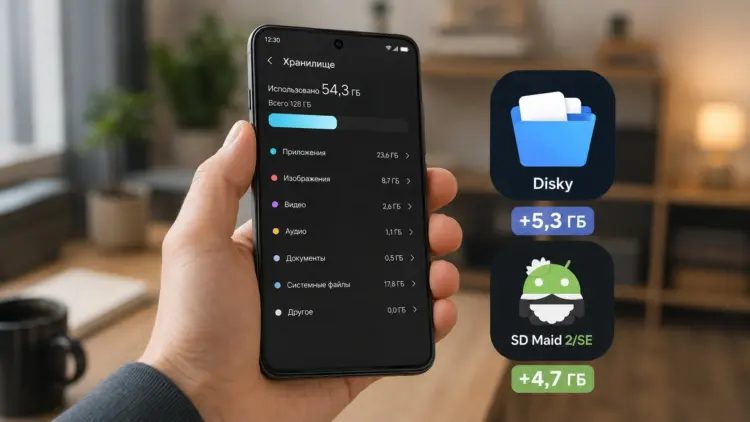
The first tool he found was Disky. It is not available on Google Play — the app is distributed through the F-Droid store, which is known for free and open-source software. Disky is a free open-source project that scans the device and presents data broken down by folders, including those tied to apps. The interface is straightforward and completely ad-free, which was exactly what he was looking for.
The second app was DiskUsage, a well-known storage analyzer. It visualizes occupied space as a colorful map, making it easy to spot which directories and files take up the most room. Even a person without technical experience can quickly understand where the storage has gone.
Using these two tools, the author managed to locate hidden caches, duplicate files, and forgotten downloads that had accumulated over time. In total, he freed up about 10 GB without deleting anything important. That may not sound like a huge number, but for someone constantly hitting the storage limit, it makes a real difference.
If 10 GB is not enough, the article suggests additional ways to clean Android, such as moving media files to a microSD card or using the system's built-in cleanup features. The key takeaway is that you do not need paid tools or complicated procedures — a couple of free apps can reveal what the system hides and give you back a meaningful chunk of space. For anyone puzzled by a mysteriously full phone, starting with a proper storage analyzer is the right first step.