iPadOS 27 brings three Mac-like features: app names, persistent menu bar, and resizable sidebar
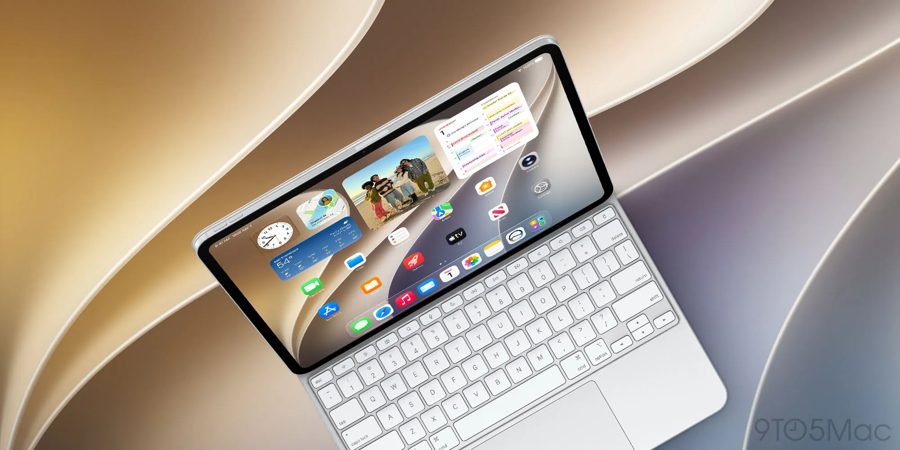
With iPadOS 27, Apple continues to blur the lines between iPad and Mac, introducing three features that make the tablet behave more like a traditional computer. These changes are particularly aimed at users who rely on keyboard and mouse input for professional workflows.
The first feature is the display of the active app's name in the status bar. Previously, iPadOS had no clear indicator of which application was currently active when multiple windows were open. This caused confusion for keyboard users: pressing a shortcut could unexpectedly trigger an action in a different app than intended. The Mac solved this years ago by showing the app name in the top-left corner of the screen. Now iPadOS 27 does the same, placing the app name next to the time and date. This small but practical change makes keyboard navigation far more predictable and efficient.
The second improvement is the option for an always-on menu bar. In iPadOS 26, the menu bar only appeared when explicitly summoned, which interrupted workflow. iPadOS 27 adds a new toggle in Settings under Multitasking & Gestures: "Automatically Show and Hide Menu Bar." When turned off, the menu bar remains visible at all times, just like on macOS. This gives users instant access to app commands, menus, and settings without an extra gesture. It is especially useful for applications with complex toolbars, such as photo editors, code editors, or document processors.
The third feature is the ability to resize the sidebar in apps. In iPadOS 27, users can drag the edge of the sidebar to adjust its width. This allows for better use of screen real estate, particularly in apps like Files, Notes, or third-party file managers. A wider sidebar can show more folder names and file details, while a narrower one leaves more space for content. This level of customization was previously unavailable on iPad and brings it closer to the Mac's flexibility.
Collectively, these three changes are not revolutionary, but they significantly improve the iPad experience for power users. They address long-standing complaints about the iPad's limitations when used with a keyboard and trackpad. However, Apple still maintains a clear distinction between iPadOS and macOS: the iPad remains a touch-first device with optional desktop-like features, not a full Mac replacement. iPadOS 27 is expected to be released to the public in the coming months, with a beta version available for developers now.