Google’s App Handles on Pixel 11 Pro Fold redefine foldable multitasking with a floating dock
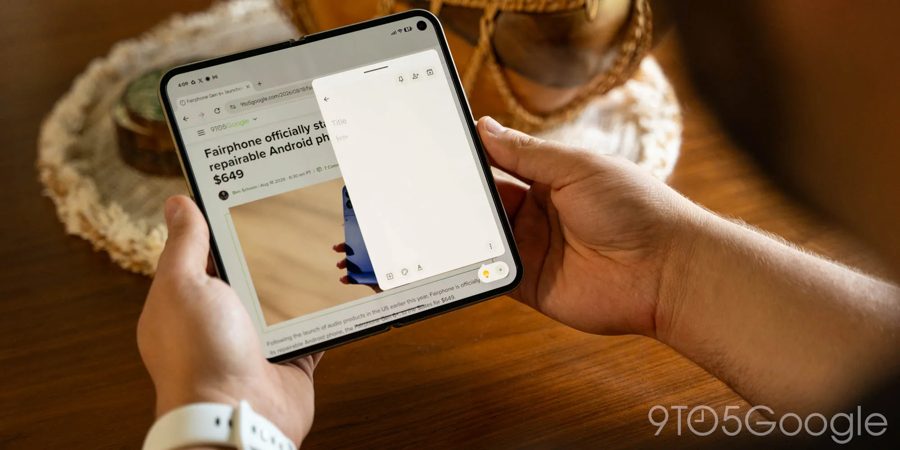
A recent Canary build of Android has previewed a new multitasking feature called "App Handles" for the Google Pixel 11 Pro Fold, which is poised to change how users interact with foldable devices. The feature, built on top of the existing "Bubbles" system, essentially functions as a dedicated dock for floating windows. Unlike traditional floating windows that can be moved freely around the screen and often become cluttered, App Handles locks an app into a specific spot in the far bottom-right corner of the display. This ensures the floating window remains accessible without obstructing the main interface.
The key innovation is a swipe-up gesture from that bottom corner, which instantly activates the pinned app. Users can store multiple apps in this location, switching between them as needed, creating what feels like a second layer of multitasking. For example, on the inner display, you can run two apps side-by-side in split-screen mode, while a third app operates in a floating window via App Handles. This allows for a more flexible workflow without the need to constantly rearrange windows.
The author of the report, after a week of using the Pixel 11 Pro Fold, noted that App Handles has become their favorite feature. Despite having used Samsung's Galaxy Z Fold series for years with floating windows, they rarely found them practical due to the finicky nature of manual positioning. Google's implementation, particularly the quick access gesture, immediately proved valuable. Additionally, when the device is closed, any apps set up as a "Handle" automatically convert into a "Bubble" on the cover display, maintaining continuity.
Unlike full split-screen multitasking, which can be intrusive and requires deliberate setup, App Handles offers a way to multitask without getting in the way. It's particularly useful for quick tasks like checking messages or controlling music while watching a video. The inner display of a foldable is excellent for side-by-side multitasking, but that's not always the desired mode—App Handles provides a more lightweight and intuitive alternative. This feature could significantly enhance the productivity appeal of foldable smartphones, especially for users who frequently switch between apps.